Improving Readability of Complex Document Layouts
OCR Experiment
The Project
A small experiment that started as an attempt to make course material easier to read became an exploration of OCR limitations, layout analysis, and usability.
While reading educational materials for university coursework, I found that magazine-style scanned documents produced poor OCR results. Decorative elements, multi-column layouts, and complex typography reduced text extraction quality and made digital reading less comfortable.
Tools: gImageReader · Tesseract OCR
Before

After
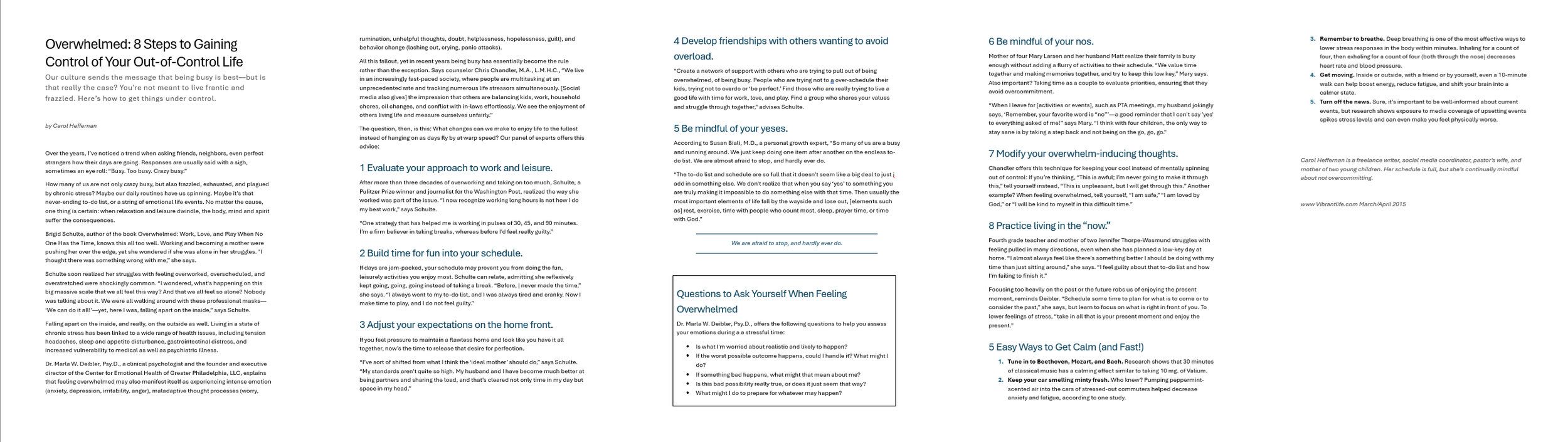
Goal
Explore whether layout preprocessing could improve OCR output quality and readability.
Process
Tested OCR extraction using gImageReader and Tesseract OCR
Identified layout-related issues affecting recognition quality
Adjusted reading regions and content segmentation
Compared extraction quality before and after preprocessing
Challenges
Multi-column layouts disrupted reading order
Large decorative typography introduced OCR noise
Magazine formatting elements competed with body text
Titles spanning multiple pages affected extraction quality
Results
Layout preprocessing significantly improved text extraction quality and readability. The experiment highlighted that OCR performance depends not only on character recognition accuracy, but also on document structure and layout analysis.
Key Takeaways
Document layout matters as much as OCR quality
Small preprocessing steps can reduce reading friction
UX considerations can improve accessibility in digitized content